Consent Fundamentals: Privacy Experiences
The user experience for a visitor to a website can vary substantially depending on the user's location. In some locations, the user may be presented with a banner or pop-up that asks them to explicitly provide their consent for the processing of their personal data, while in other locations a user may have the option to opt-out of the processing of their data by clicking a link somewhere on the website or app to manage their consent.
Using the correct user experience to notify a user of your data processing activities and collect their consent is vital to complying with privacy regulations and demonstrating you can be trusted by your visitors.
Privacy Experiences
In Fides, a privacy experience combines the privacy notices and methods of consent that are displayed to a visitor - defining their experience. We've previously covered how privacy notices are the text that is displayed to the user about your organization's data processing activities, and how the method of consent is the type of consent collected; the privacy experience is the container that groups these concepts together.
Using the correct experience to notify users and collect consent is vital to complying with privacy regulations.
Privacy Experiences are the user experience for how a visitor is presented with a privacy notice and consent.
Types of Privacy Experiences
Fides offers several types of privacy experiences to meet different needs:
- Banner+Modal: is more common in Europe (EEA) and is displayed to the user when they first visit the site. Often, this is a consent banner that appears at the bottom of the page. Typically, clicking on the banner allows a user to open a popup modal to personalize their consent setttings.
- Modal: is more common in the United States where privacy laws grant users the right to opt out of certain types of data processing like targeted advertising. Typically this modal is opened by clicking a link in the footer of websites.
- Privacy Center: is also common in the United States and is available as a link in in the footer of all pages of a website, allowing a visitor to quickly access and personalize their consent and privacy settings in a separate page.
- TCF Overlay: is a privacy experience that is compliant with the IAB's Transparency and Consent Framework. It is displayed similarly to the Banner+Modal experience but with additional controls for managing consent related to digital advertising. This experience is only available if TCF is enabled for your Fides account.
- Headless: A flexible experience type that provides no UI components, allowing developers to create fully custom consent experiences while leveraging Fides' consent management backend. This is ideal for:
- Implementing custom UI designs
- Programmatic consent management
- Integration with existing applications
Banner+Modal Experience
The banner+modal experience is most common in Europe (EEA) as a result of the ePrivacy Directive and the GDPR. However, it's also required for notice-only regulations in some other locations.
A banner ensures that the visitor takes action before any data processing occurs on site and as a result is seen as good practice for collecting explicity opt-in consent.

The Fides opt-in consent banner features a text based notice about your data processing activities, and three links that the visitor can interact with:
- Opt-In: The "Accept All" option, where the visitor can agree and consent to all of the data processing activities.
- Opt-Out: The "Reject All"" option, where the visitor can object to all forms of data processing activities.
- Manage Preferences: The "Manage Preferences" option, where a user can customize their consent preferences for each data processing activity.
When a visitor clicks "Manage Preferences", a popup opens to display all privacy notices for your organization and a set of controls to allow the visitor to set their preferences. The example below demonstrates a possible popup:
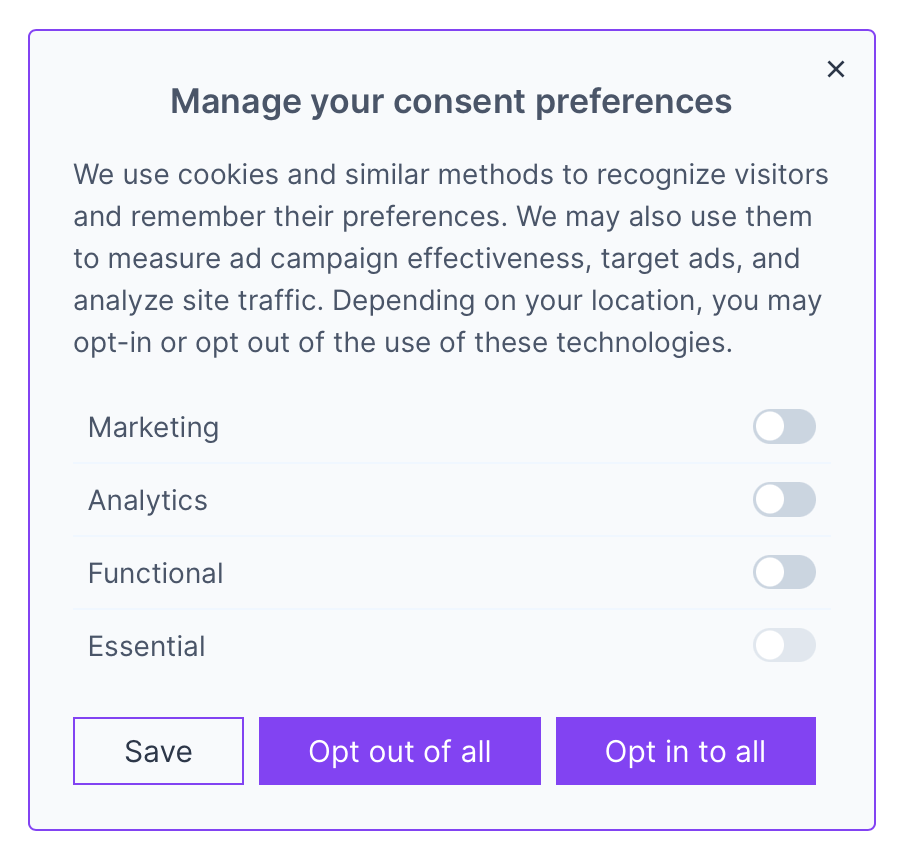
Modal Experience
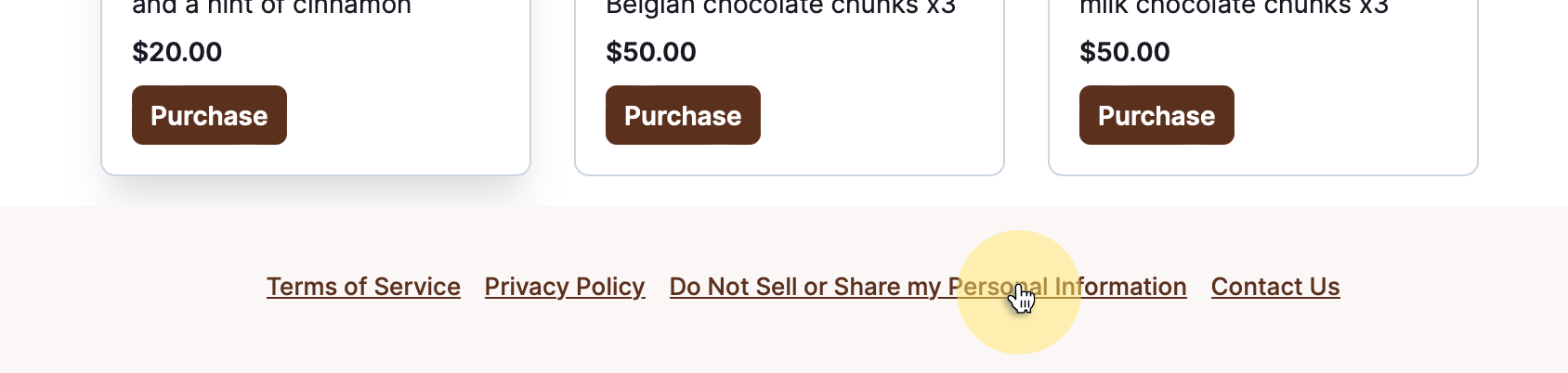
The modal experience is more common in the United States as a result of the opt-out rights afforded by many state privacy laws. The modal is typically triggered by a link or button on a website which is most commonly placed in the footer. The text of this link may vary by location. Common labels include "Manage Privacy Preferences" and "Do Not Sell or Share my Personal Information" as shown in the example below:
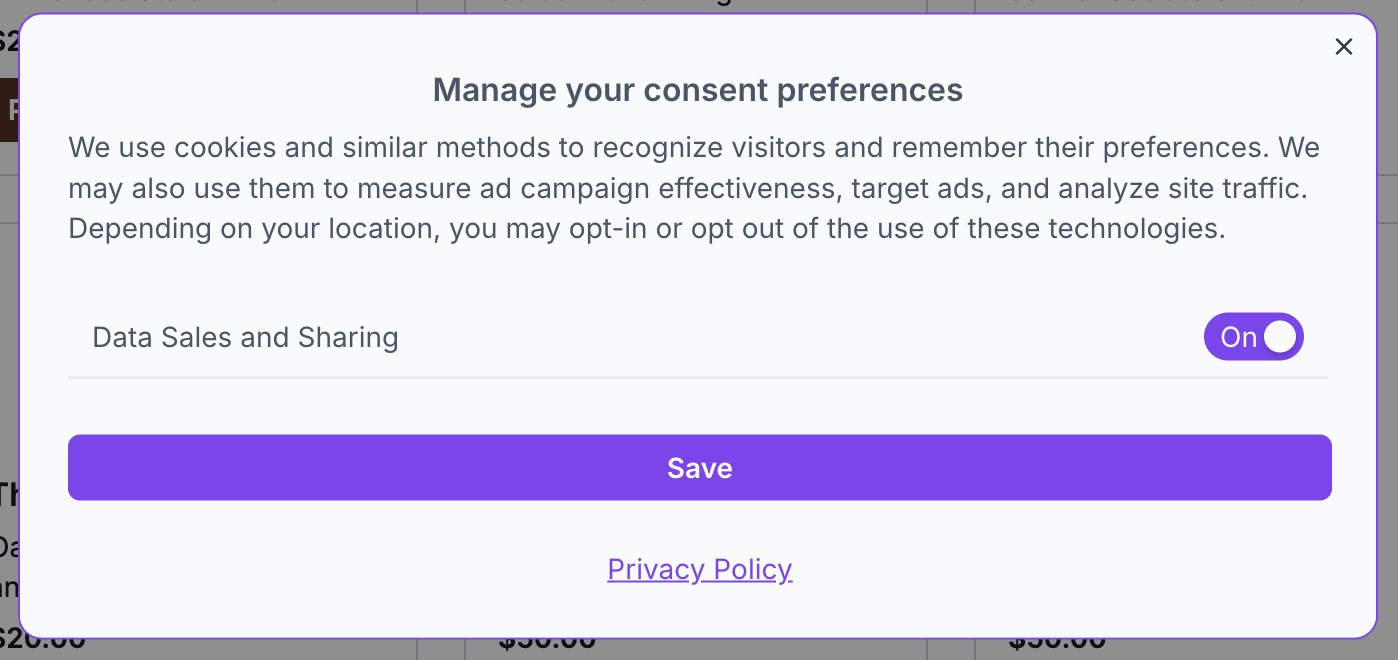
The standalone modal is the same modal that is triggered by clicking on the banner of the banner+modal experience. The example below demonstrates a possible popup modal triggered by clicking on a link:
Privacy Center Experience
The privacy center experience is another way to provide consent in the US, where most state privacy regulations are opt-out in nature.
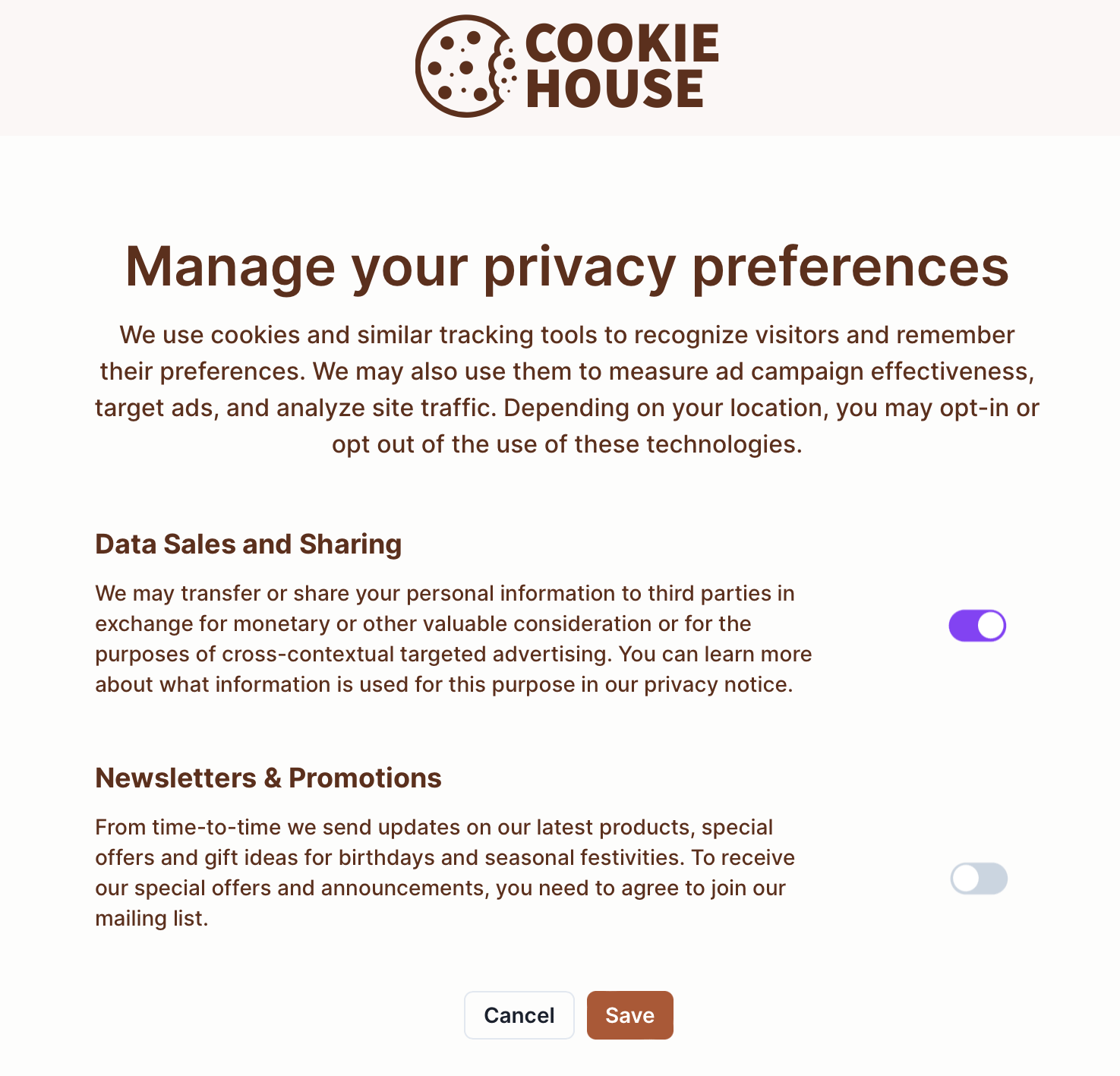
Typically, the privacy center is paired with a link to it available in the footer across all pages of your brand website. The text of this link may vary by location but can be similar to the language used to open the pop up modal.
Clicking on the link takes the visitor to the privacy center, typically on a subdomain of your brand website, such as: https://privacy.your-brand.com.
From here, the visitor can view and update their privacy preferences:
TCF Overlay Experience
The TCF overlay experience is a privacy experience that is compliant with the IAB's Transparency and Consent Framework. It is displayed similarly to the Banner+Modal experience but with additional controls for managing consent related to digital advertising. This experience is only available if TCF is enabled for your Fides account.
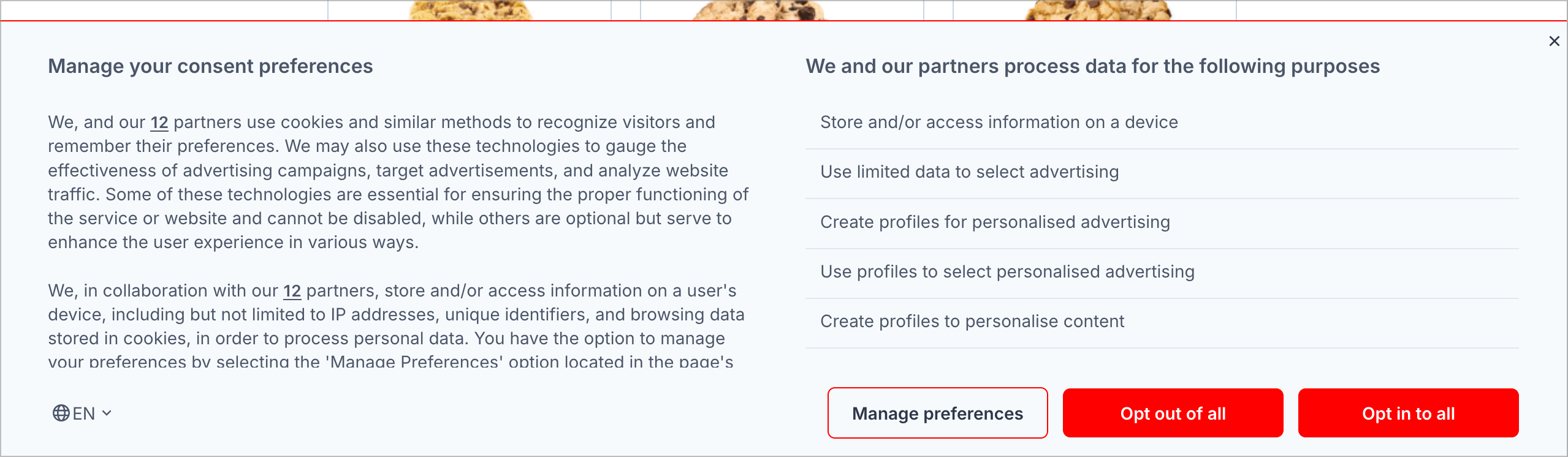
The Fides TCF opt-in consent banner features a text based notice about your data processing activities, and three links that the visitor can interact with:
- Opt-In: The "Opt in to all" option, where the visitor can agree and consent to all of the data processing activities.
- Opt-Out: The "Opt out of all" option, where the visitor can object to all forms of data processing activities.
- Manage Preferences: The "Manage Preferences" option, where a user can customize their consent preferences for each data processing activity.
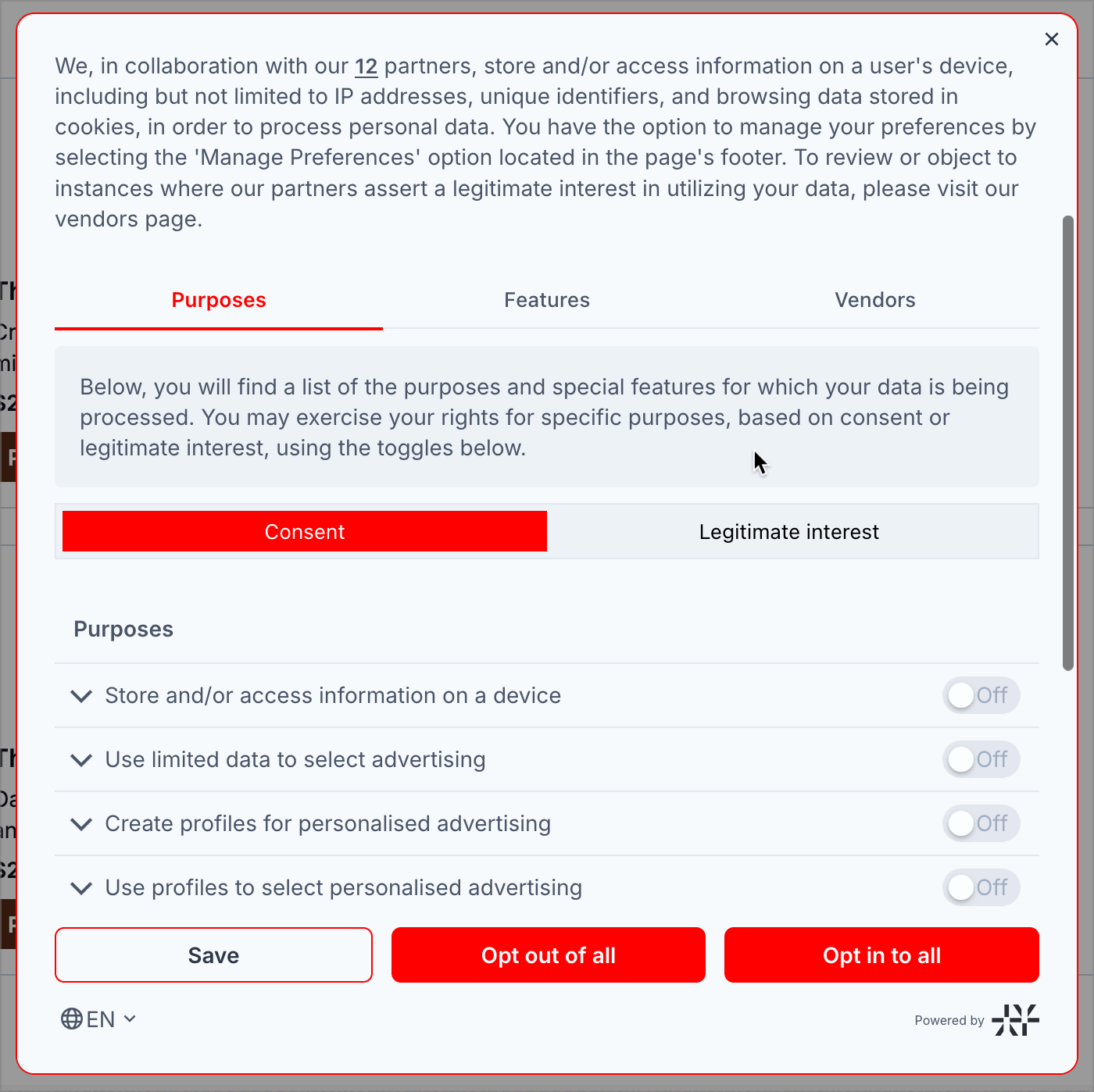
When a visitor clicks "Manage Preferences", a popup opens to display all privacy notices for your organization and a set of controls to allow the visitor to set their preferences. The example below demonstrates a possible popup:
Now that we've covered the fundamentals of privacy notices, methods of consent, and privacy experiences, learn how to set them up in the configuring privacy notices and configuring privacy experiences guides.